A free form builder for Magento and Mage-OS.
Build forms in the admin and publish them on their own page or in CMS content. One Composer package, MIT licensed.
composer require furan/magento-form-builder
bin/magento setup:upgrade
- Magento 2.4.4+ and Mage-OS
- Luma and Hyvä, one package, tested on both
- PHP 8.1 and newer
See it working
- Fill in your details. The phone number is formatted for you.
- Choose in person. The dates and dietary needs appear.
- Tick the consent box and send.
- The thank-you message shows the booking reference.
Build
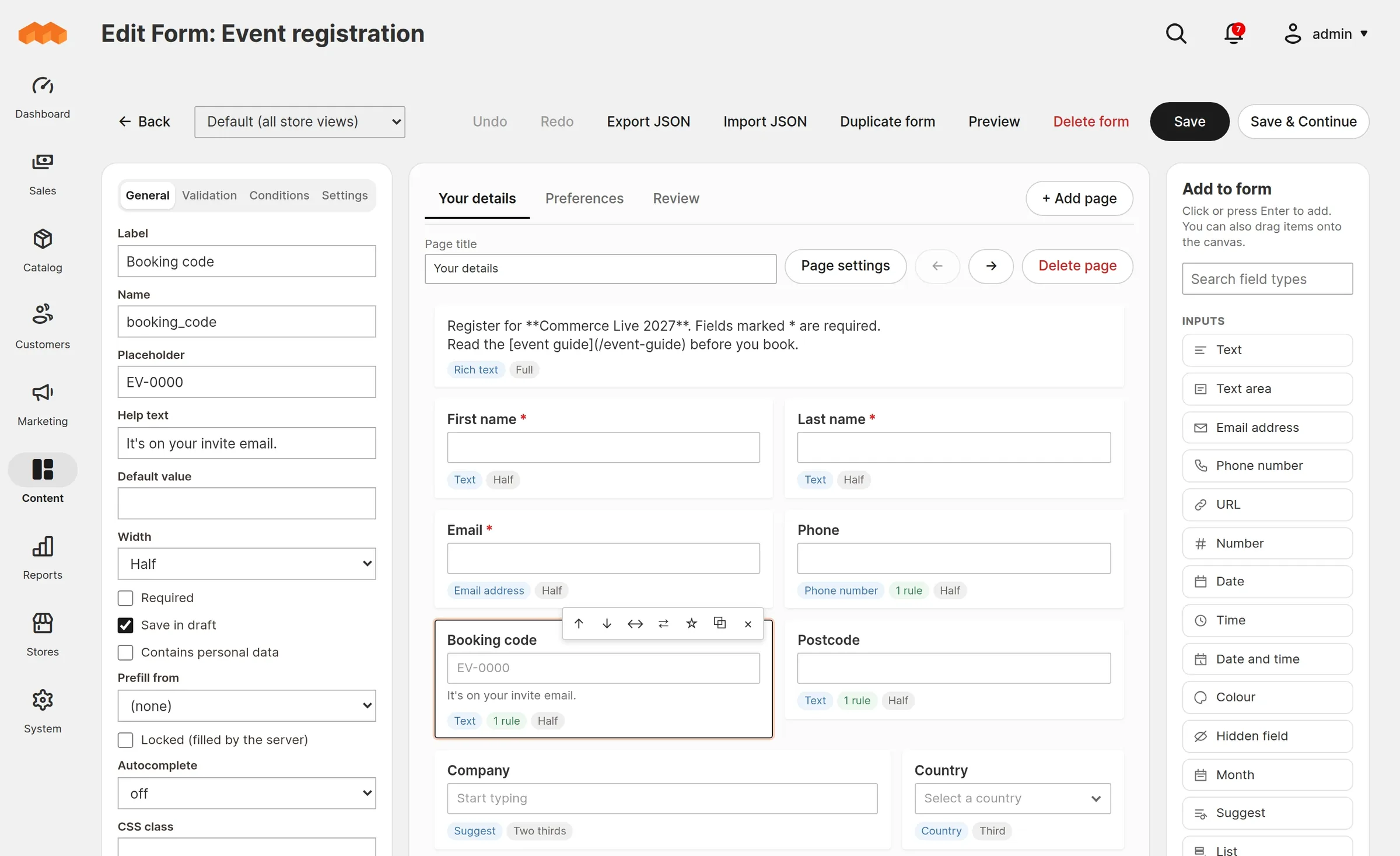
A three-column builder in the Magento admin: form settings on the left, the form itself in the middle, field types on the right. What you see on the canvas is laid out on the same six-column grid the storefront uses.
- Conditional logic. Show, hide or require pages, sections, fields and text; set a value; hide some options; or skip pages. Rules can be grouped up to three levels with all or any, compare with another answer, or use a date relative to today.
- Field groups. Save a set of fields once, such as an address block, and add a copy to any form.
- Input masks for phone numbers, postcodes, sort codes, IBANs and your own patterns such as AA-9999. Typing and pasting are never blocked.
- Scheduled display. Open and close a form at set times in a time zone you choose, with a message before it opens and after it closes.
- Multi-page forms with a progress bar and an optional "review your answers" step.
- Validation that matches on both sides. 18 rule types and 19 ready-made formats (UK, US, Canadian, Irish, Dutch and Australian postcodes, phone numbers, IBAN, VAT, order and coupon codes). The browser and the server run the same rules from shared test fixtures, and every submission is checked again on the server.
- Saved rules. Define a format once, test it live, and use it on any form.
- Translations per store view inside the builder. Untranslated text falls back to the default, and a translation is flagged when the default changes.
- Undo and redo, keyboard reordering, duplicate a form, and import or export it as JSON.
Inputs 16
- Text
- Text area
- Phone
- URL
- Number
- Date
- Time
- Date and time
- Month
- Date range
- Colour
- Hidden
- Suggest
- List
- Address
Choices 14
- Select
- Multi select
- Radio
- Checkboxes
- Checkbox
- Toggle
- Consent
- Newsletter
- Cards
- Country
- Rating
- Scale (NPS)
- Range
- Matrix
Advanced 2
- File upload
- Map pin
Layout
- Section
- Heading
- Paragraph
- Rich text
- Notice
- Summary
- Divider
- Spacer
- Page break
On the storefront
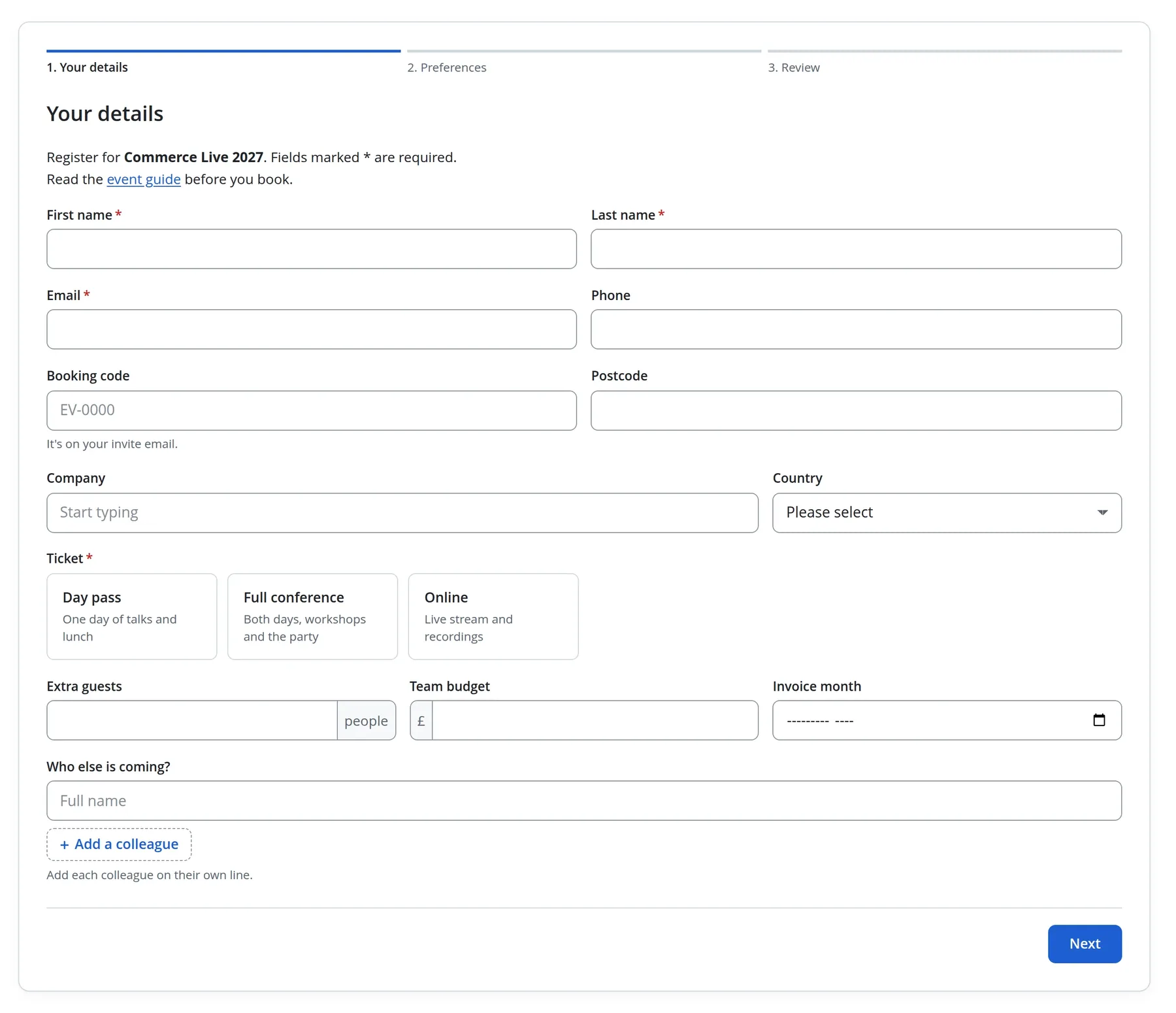
Each form gets its own URL and can also be placed in CMS pages, blocks and Page Builder with a widget. It uses your theme's font with its own styling and your accent colour, or you can leave the styling to your theme.
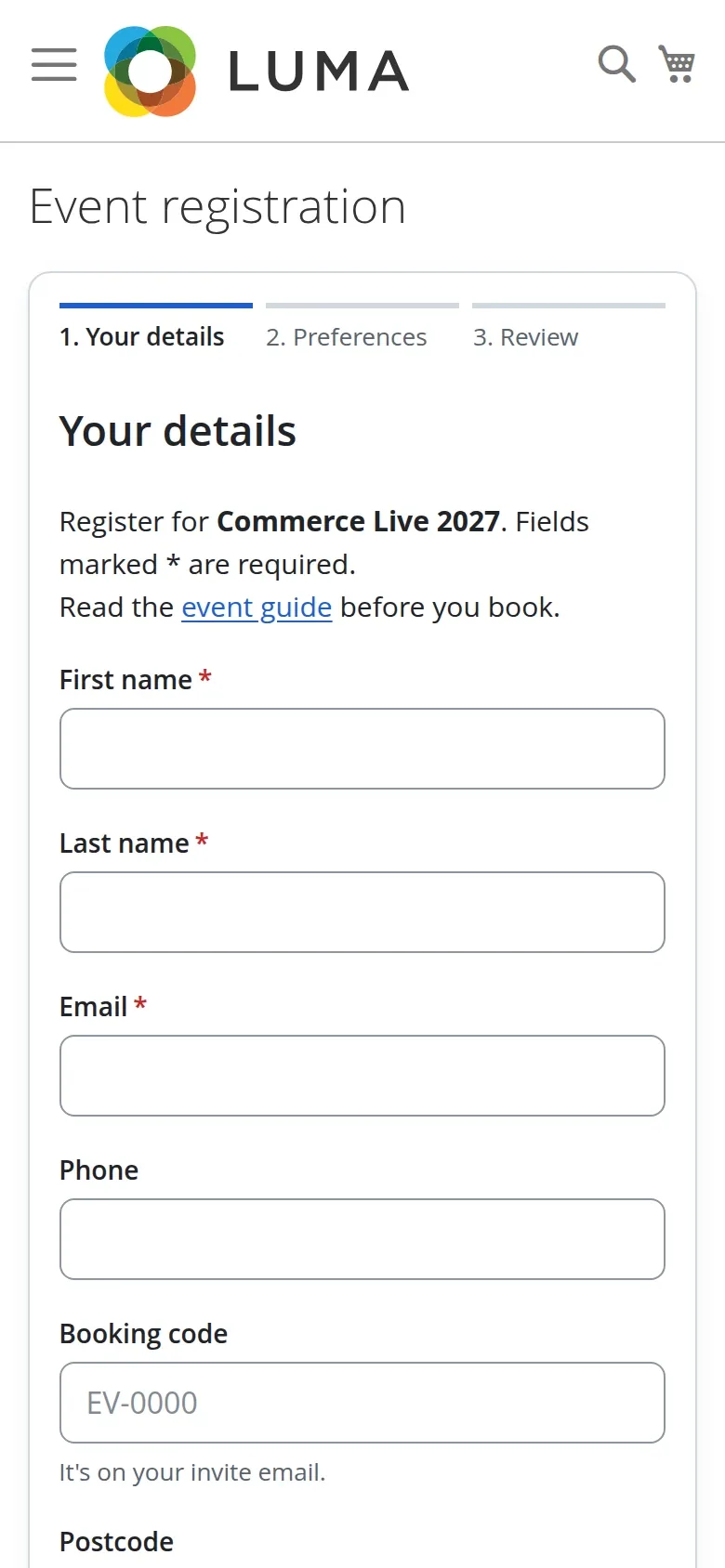
No framework on the storefront
Plain JavaScript with no RequireJS, jQuery, Knockout or Alpine dependency, about 38 KB gzipped plus 6 KB of CSS.
Full-page cache safe
The form HTML is the same for every visitor and is cached. Tokens, prefilled answers and drafts are fetched after the page loads.
Drafts
Answers survive a refresh. Signed-in customers can carry a draft to another device.
Search engines
Page title and description per store view, a canonical link, hreflang between store views, sitemap entries, and a per-form "hide from search engines" switch.
For your customers
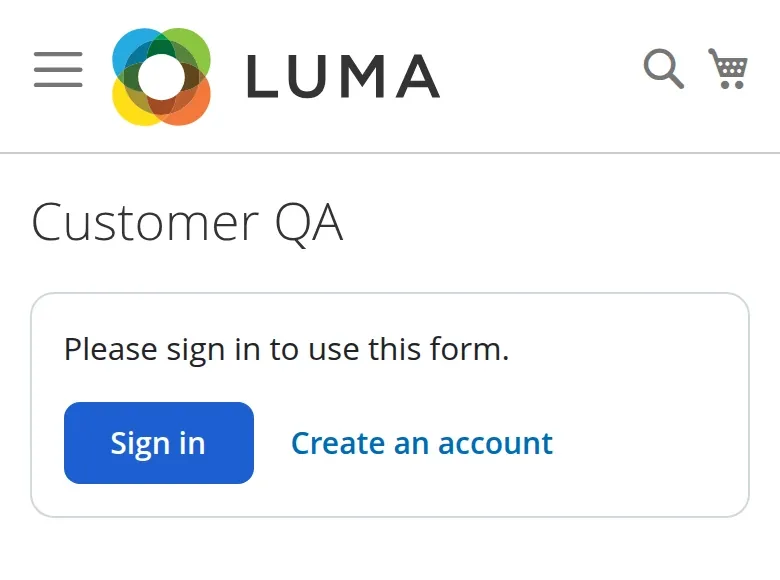
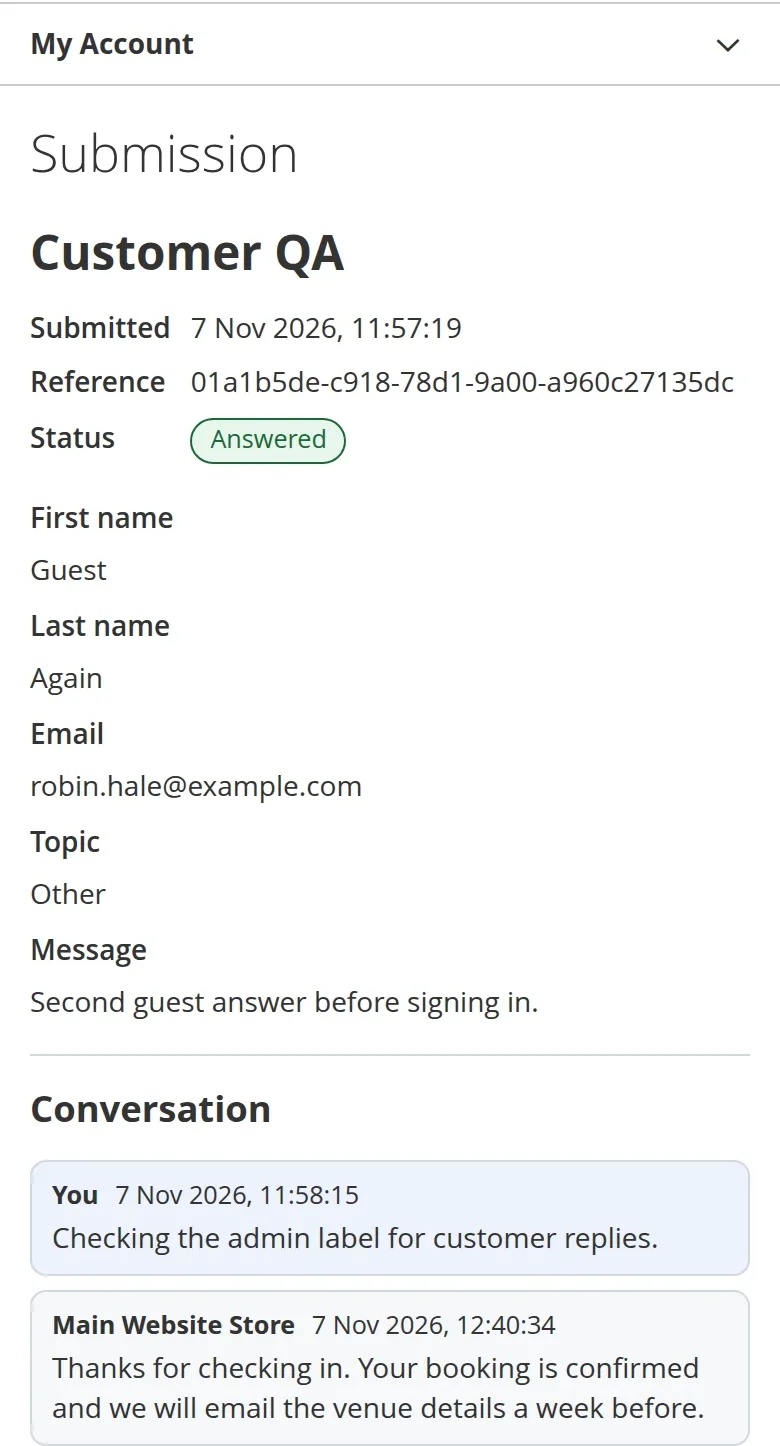
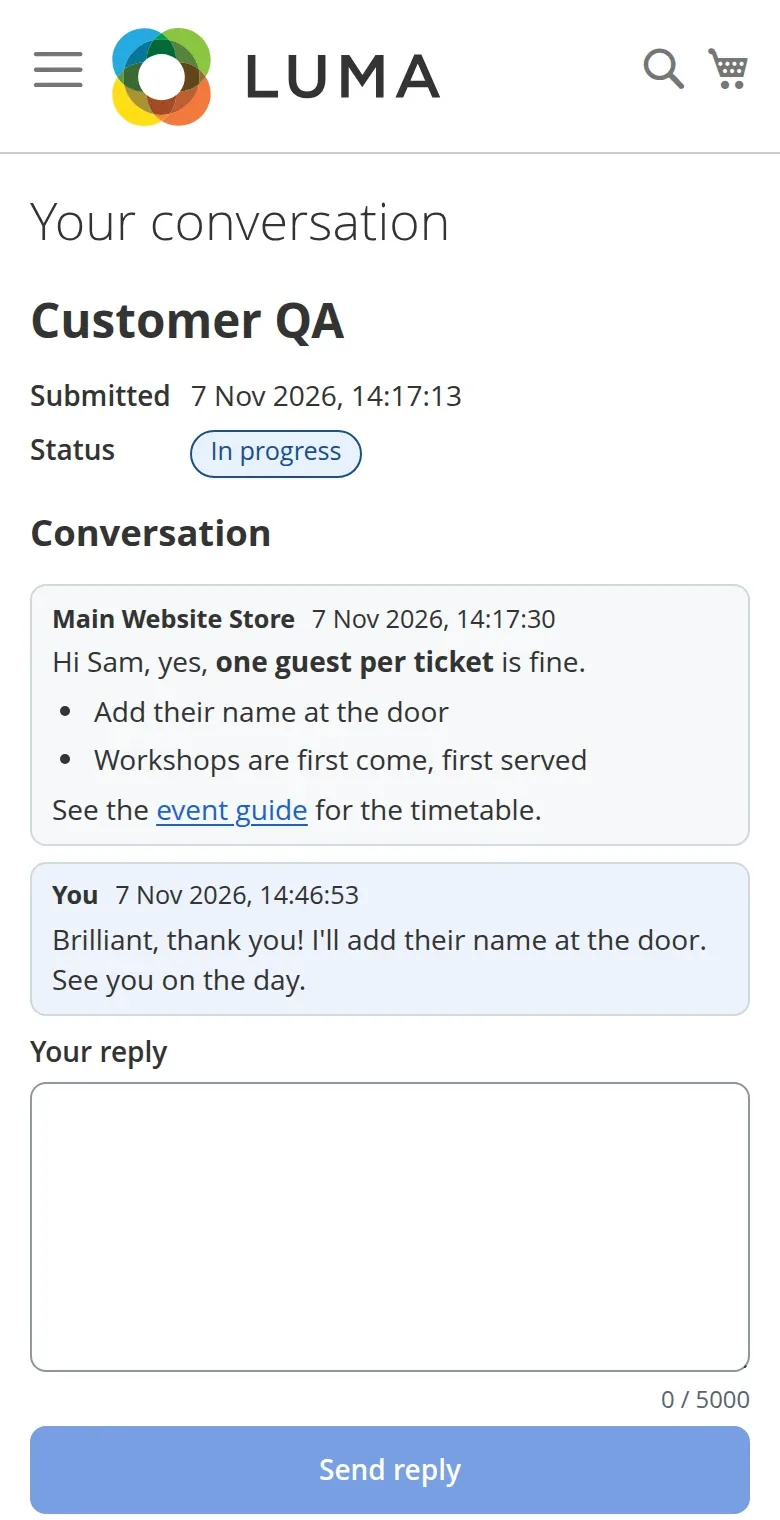
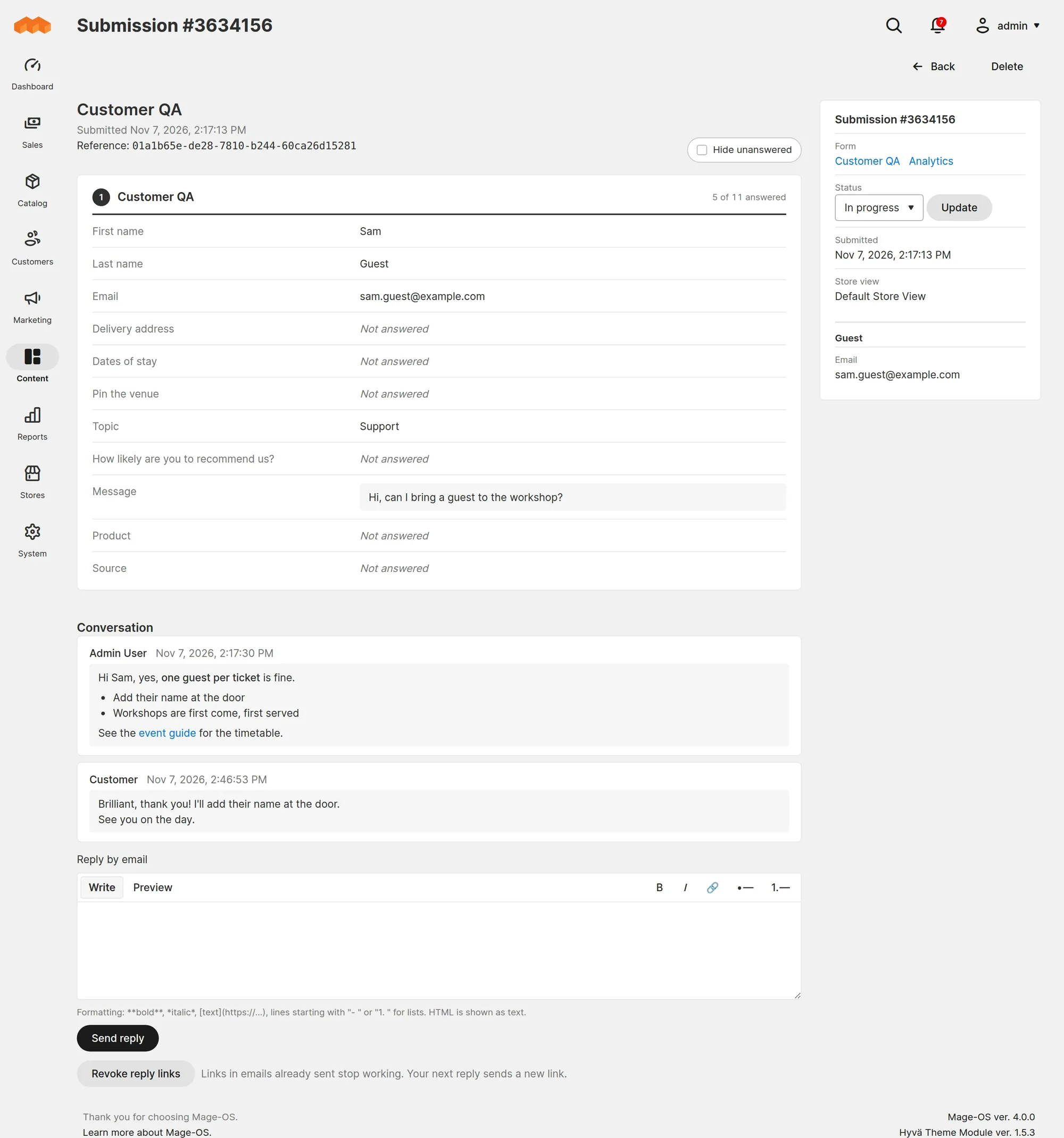
Forms know who is signed in. Customers can see what they sent, and you can reply to them on the submission.
Prefill
Name, email, phone, date of birth, company and saved addresses from the account, and the product's name, SKU and price on product pages. Locked fields take the server's value.
Who can answer
Limit a form to signed-in customers or to customer groups, or allow one answer per customer, with or without editing it afterwards.
My submissions
Customers view, edit while open, reply to and delete their submissions, and download their data. Guests who later register or sign in with the same email can claim what they sent.
Replies
Reply from the admin with a small text editor. The email has a button to answer on your site, and all emails about one submission thread together in the customer's mail client. Set a Reply-To address if you would rather they answer by email.
Reading the answers
Submissions have statuses, a customer panel and a reply editor. Each form has an analytics page with a chart per question.
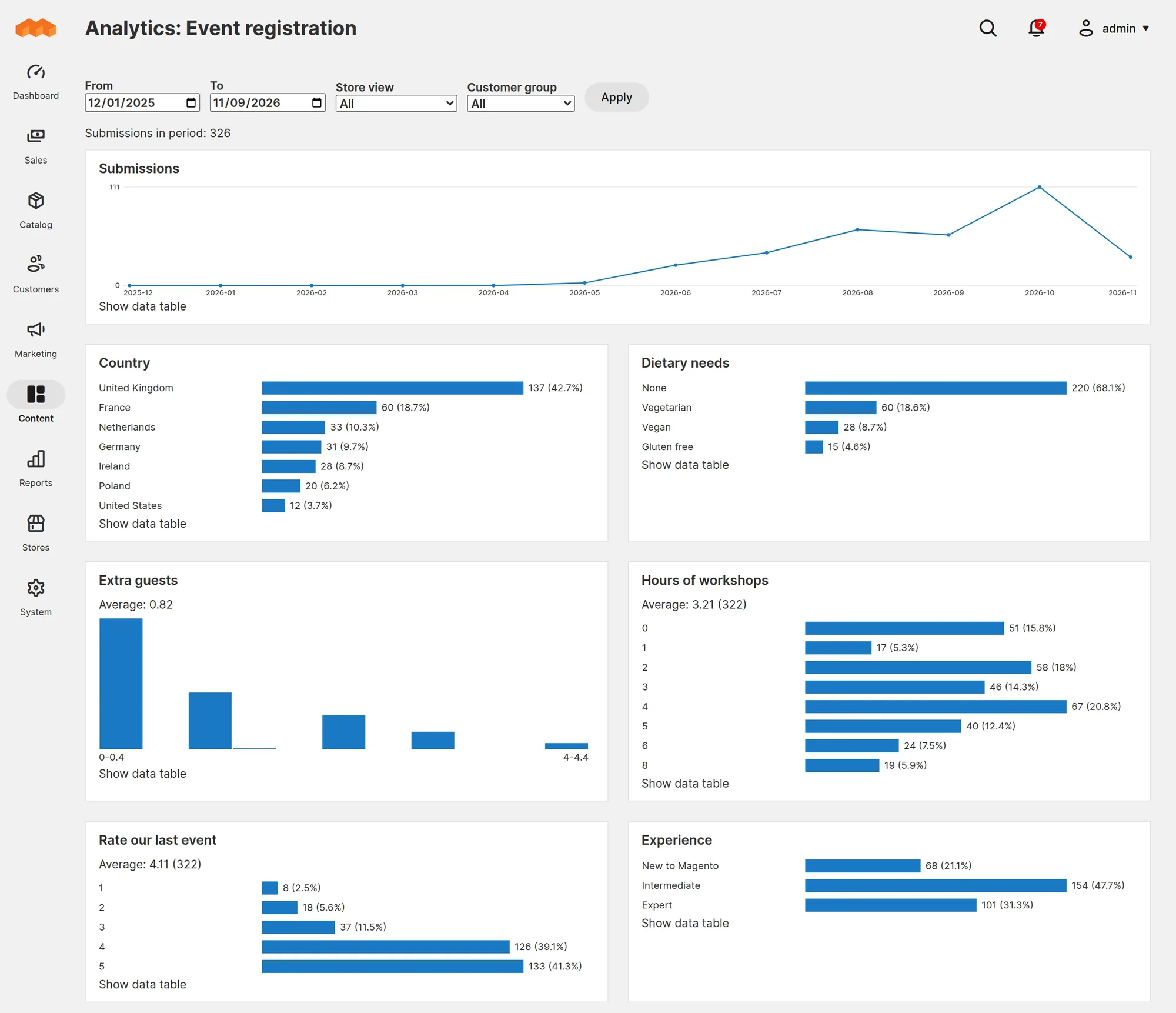
- A chart for each question type: bars for choices, averages and distributions for ratings and NPS, histograms for numbers and dates, a line for submissions over time, and the latest text answers.
- Read from summary tables that update as answers arrive.
- Statuses New, In progress, Answered and Closed, with mass actions in the grid.
- Reference numbers. Each submission gets a random reference, shown to the customer and searchable in the grid.
- Newsletter signup that subscribes the person through Magento's newsletter module, when it is installed.
- Notifications to fixed recipients or to people chosen by an answer, plus an optional confirmation email to the person who filled it in.
- CSV export. Large exports are built in the background and downloaded when ready.
Webhooks
Send each submission to another system as signed JSON.
Signed
Standard Webhooks signatures, a secret shown once, and secret rotation with a window where both secrets sign.
Retried
A queue and a cron fallback, retries over three days with back-off, a circuit breaker per endpoint, and endpoints switched off when they keep failing.
Safe by default
HTTPS only, no private or cloud metadata addresses, the connection pinned to the address that was checked, no redirects or proxies, and personal data left out unless an admin with that permission turns it on.
Delivery log
Every attempt with its status, in plain words, and redeliver or resend from the admin. Events: received, edited and status changed.
Extend
Build on it from your own module.
Pools in di.xml
Field types, validation rules, condition operators and actions, prefill sources, spam checks and submission actions.
Events
Submission received, edited and status changed, conversation messages, the storefront config, and a veto before each webhook is sent.
Service contracts
Load and save forms and submissions through FormManagementInterface and the repositories.
Browser registries
Storefront and builder scripts register their own field behaviour, rules, operators and builder previews.
<type name="Furan\FormBuilder\Model\FieldType\Pool">
    <arguments>
        <argument name="types" xsi:type="array">
            <item name="satisfaction" xsi:type="object">Vendor\Module\Model\FieldType\Satisfaction</item>
        </argument>
    </arguments>
</type>
Spam, uploads and privacy
Spam
A honeypot, a signed single-use time token, per-visitor and per-form rate limits, and Google reCAPTCHA v2 or v3 through Magento's own reCAPTCHA modules when you have them enabled.
Uploads
Extension allowlist, MIME check, a scan of the whole file for PHP code, size limits per field, request and hour, and storage outside pub/ under random names. Files are only served through a permission-checked admin download.
Your sending reputation
Confirmation emails are capped: one per address per form per day, three per address per day, 50 per form per hour, and a daily limit per store view with an admin notice when it is reached.
Personal data
Mark fields as personal data, export or erase everything one person sent across all forms, set a retention period, and choose what happens when a customer account is deleted. IP addresses are not stored unless you turn it on per form.
Admin permissions
Separate permissions for editing forms, viewing, replying to, exporting and deleting submissions, downloading files, analytics, privacy requests, validation rules, field groups and webhooks, with sending personal data to a webhook as its own permission.
An off switch
Turn every form off for the whole site, one website or one store view from configuration. The pages return 404 at once, with no deployment.
Built for large stores
Lookups use indexes and lists page by key, never by offset. Big jobs run in timed batches from cron, in cron groups of their own. Webhooks, submission actions, emails, large exports and account deletions can go through Magento's message queue on MySQL or RabbitMQ.
| Measured on one form | 100k submissions | 1M submissions | 10M (extrapolated) |
|---|---|---|---|
| Rebuild analytics | 37 s | 3.6 min | 35 to 40 min |
| Rebuild peak memory | 80 MB | 80 MB | about 80 MB |
| Analytics page read | Single-digit milliseconds at 1M submissions | ||
MySQL 8 on the development stack with full durability settings (innodb_flush_log_at_trx_commit=1, sync_binlog=1). Submissions keep being accepted during a rebuild.
Tested
3,408 PHPUnit tests and 657 JavaScript tests, PHPStan level 8 with no baseline, and the Magento coding standard. Checked in the browser on Luma and Hyvä.
Good to know
- Integrations go through webhooksThere are no ready-made CRM connectors. Any system that accepts signed JSON over HTTPS can receive submissions.
- Forms render in Magento themesHeadless and PWA storefronts are not supported, and there is no REST or GraphQL API for submitting.
Install
On an existing store. Forms are under Content > Form Builder once it is installed.
composer require furan/magento-form-builder
bin/magento module:enable Furan_FormBuilder
bin/magento setup:upgrade
# production mode only
bin/magento setup:di:compile
bin/magento setup:static-content:deploy
- Requires
- Magento 2.4.4 or later, or Mage-OS, with Catalog, Config, Cron, Csp, Sitemap and the message queue framework. PHP 8.1 or later with the zip extension.
- Optional
- Magento's reCAPTCHA, newsletter and sales modules.